Publish your library's public page
Share a catalogue while keeping private reading details private.
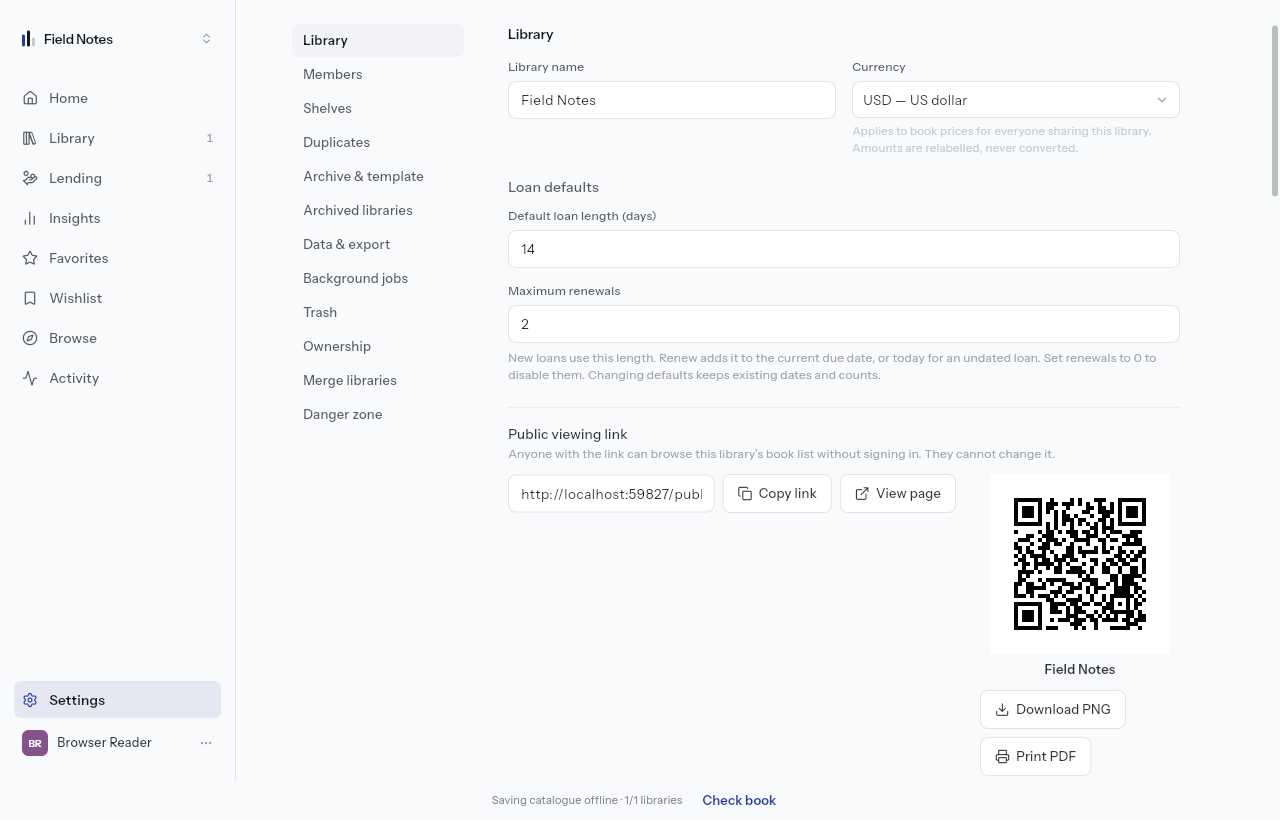
Enable public viewing
As the owner or a member with the required settings access, open Settings → Library. Turn on public viewing, then use the public viewing link. Review the page signed out before sharing its address or QR code.
Visitors can browse the catalogue without an account. The public catalogue includes titles, authors and front covers. It excludes private reading state, ratings, notes, loans, tags, shelves, attachments and back covers. Publishing a shelf widget or personal profile is a separate opt-in.
Choose the address
Free includes an automatic address and a Made with Lektava badge. Paid plans allow a custom slug and remove the badge. Save a changed address before sharing it; the old address stops working.
Custom domains are Upcoming for Pro and higher. There is no custom-domain setup to complete today. The roadmap tracks this separately from the working public page.
Control borrowing and visibility
Allow borrow requests is a separate setting. Enabling public viewing alone does not grant catalogue editing or household access. Review borrowing settings before advertising books as available.
Turn off public viewing when you want to withdraw the catalogue. A page someone has already copied or photographed cannot be recalled. Check the signed-out address again after changing visibility.