Invite your household
Share a library with separate accounts and the right access.
Choose who can do what
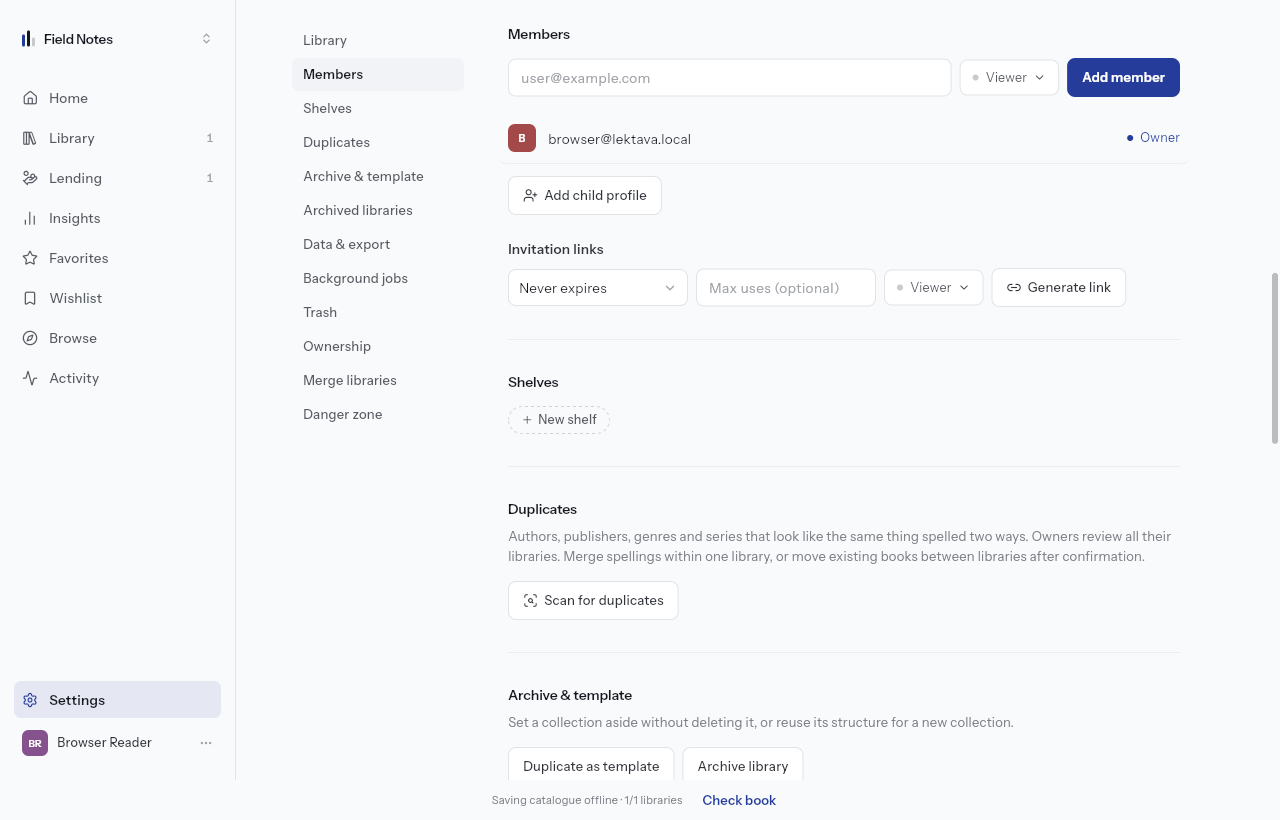
Open the library's Settings, then Members. You need permission to manage members. Enter the person's email, choose an access role, and review it before inviting them. Each invited person uses their own free account.
Preset roles are available on every plan. Pro and higher also allow custom access. Grant only the actions the person needs; sharing a library does not require sharing your password.
Use an invitation link carefully
Members also offers invitation links with an access role. Share one only with the intended people and revoke it when it is no longer needed. Joining requires an account. Review existing members and links in the same section.
A managed profile is a different option for someone without their own sign-in. Use it for a reader you manage; use an invitation for someone who should sign in independently.
If there is no room
People limits include the owner: Free allows you plus one person, Plus you plus three, Pro you plus seven, and Ultra or Pay as you go you plus fifteen. The owner's plan controls the library's allowance.
Ask the owner to review membership or capacity if an invitation is denied. Paying for your own account does not change another person's library limits.