Understand your plan and billing
Find the owner's limits, manage a renewal, and keep your catalogue.
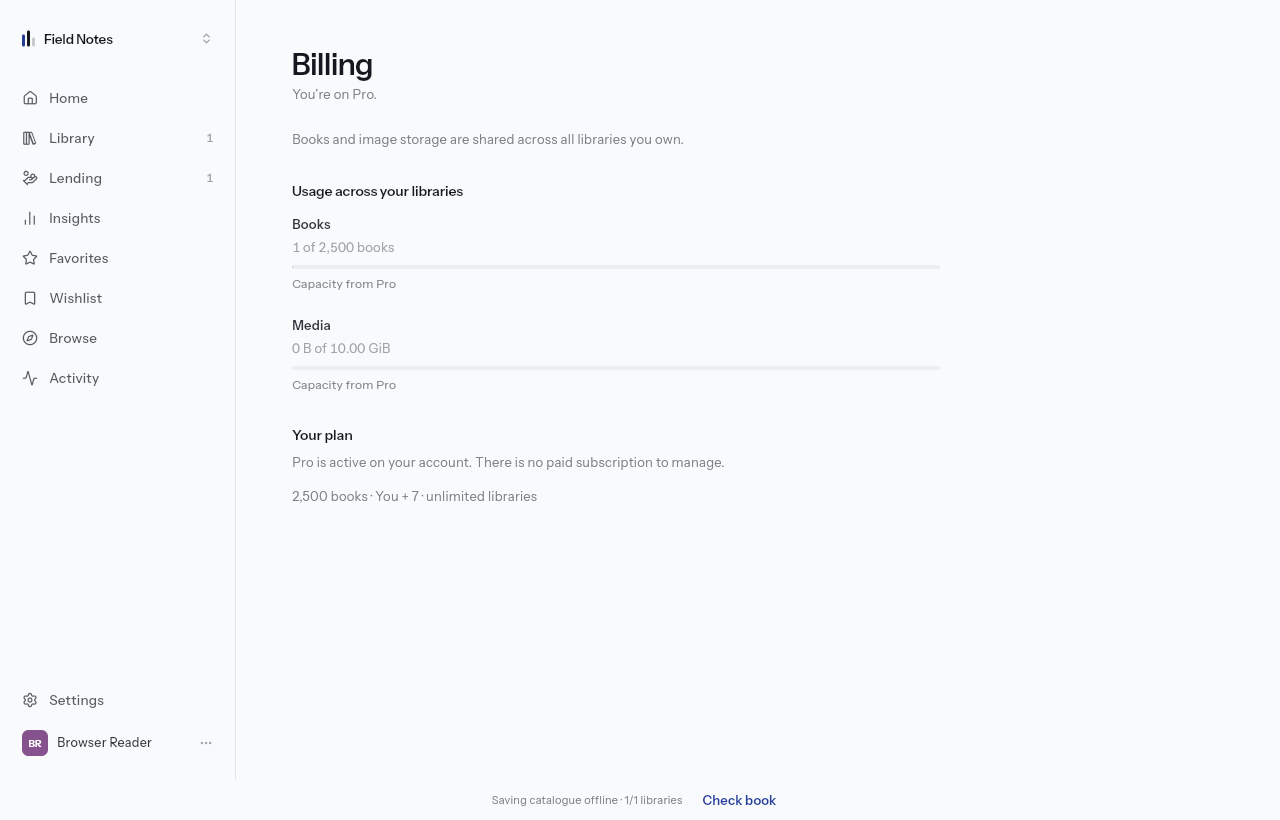
Find the allowance that applies
Open Billing from More or the sidebar. Books and image storage are pooled across libraries you own. Other library allowances follow that library's owner. A member's own paid plan does not increase someone else's library allowance.
The pricing page lists current limits and prices. Features marked Upcoming are planned work, not features unlocked by paying today. The public roadmap reads those same markers.
Manage a subscription on the website
When purchases are open, the website's Billing screen offers the available plans and subscription controls. If purchases are closed, the screen explains that checkout is unavailable. The mobile apps do not offer in-app purchases; use lektava.com for plan changes.
Cancel plan stops the next renewal. Paid access normally continues to the end of the paid period; cancellation of an already-paused subscription is immediate. Removing the app or signing out does not cancel a subscription. Review the refunds and cancellations policy for the full terms and support route.
Your existing books stay
A lower allowance can block new additions, but it does not delete your existing catalogue. You can still view, edit and export it. Export remains available on Free. An import's omitted books must be imported again from your original file after capacity increases.
Paddle handles purchases billed through Paddle. For a charge, invoice or refund request, follow the support link on your receipt or the refunds policy. Never send a card number to product support.